
Confer

PTZ CAMERA RENTAL & INTEGRATION

Automated Camera Solutions for Conferences & Events

Professional PTZ camera rental with setup, configuration, microphone integration, testing, and event-day technical support.

Spot the cameras!
WHAT WE OFFER

Complete PTZ Camera Services

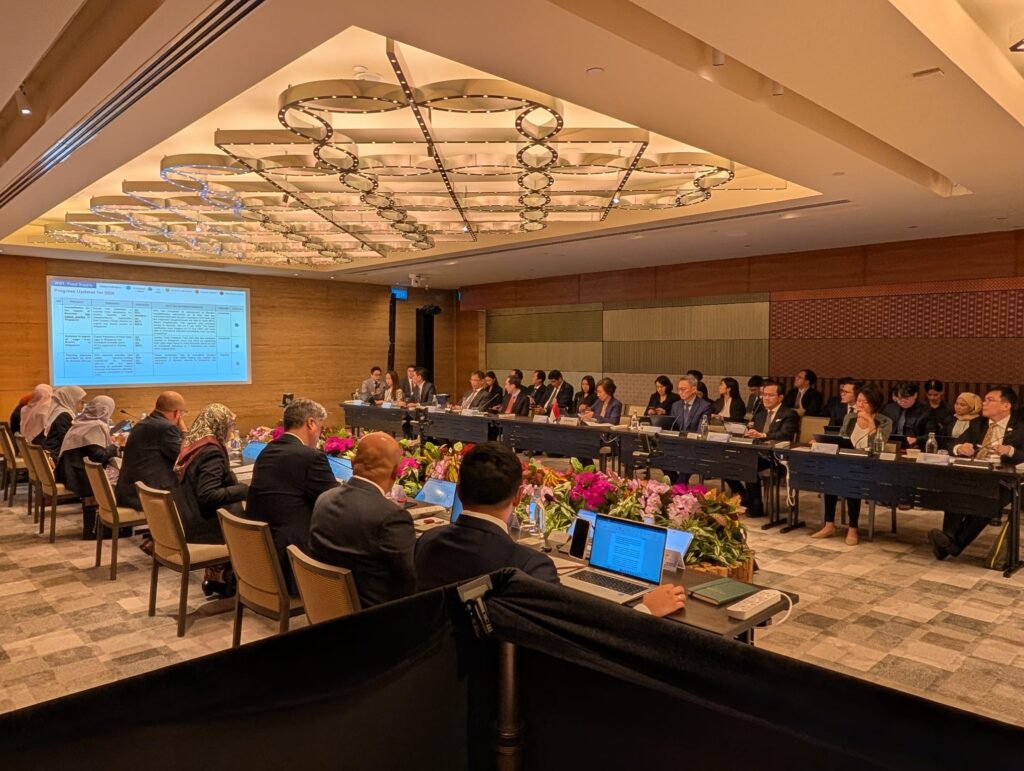
Whether you need cameras for a conference, hybrid event, corporate meeting, or closed-door session, we provide more than just the equipment.

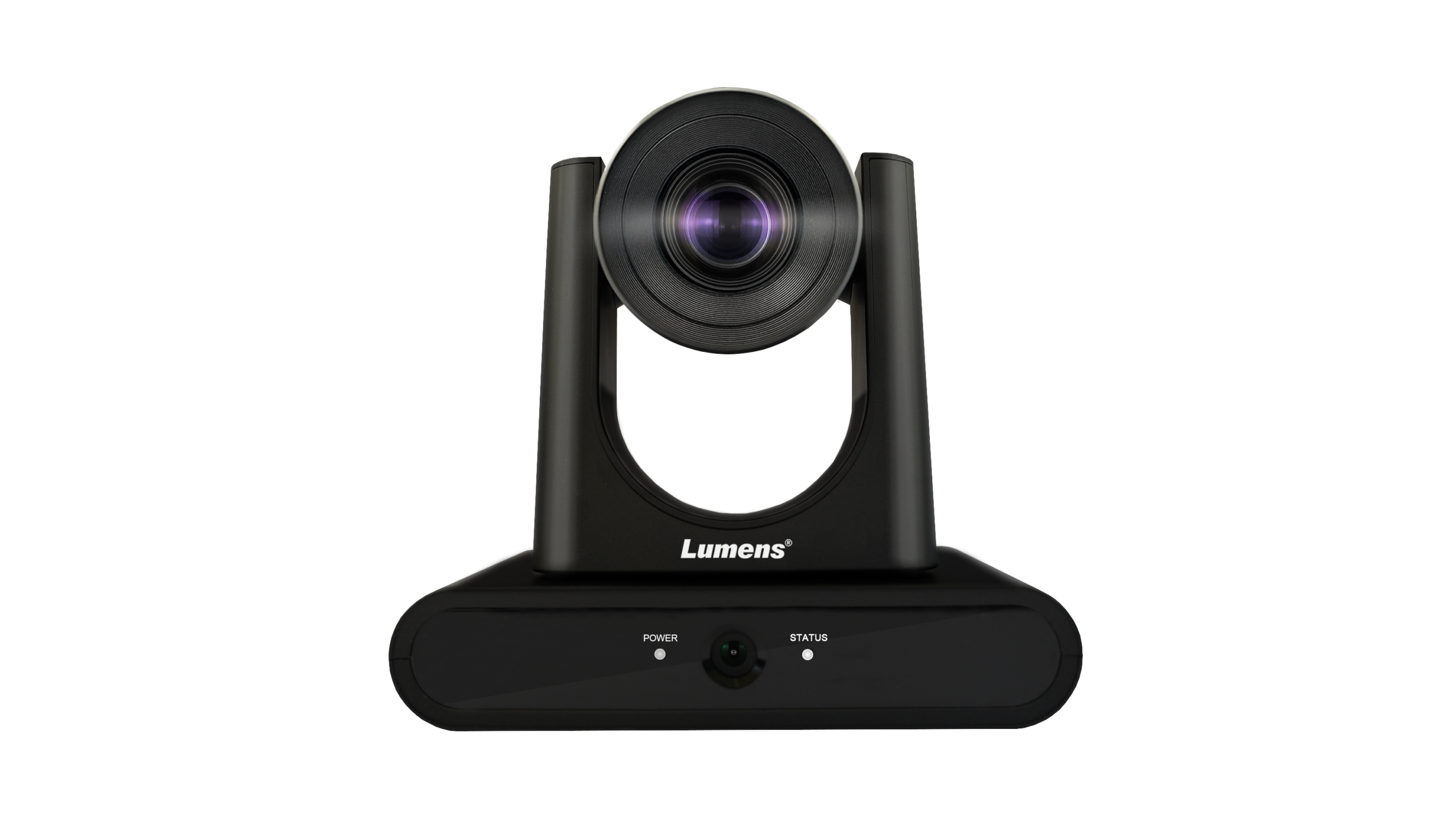
  • Multiple AI Tracking, Framing and Auto-Switching modes
  • 1080P 60fps with 20x Optical Zoom
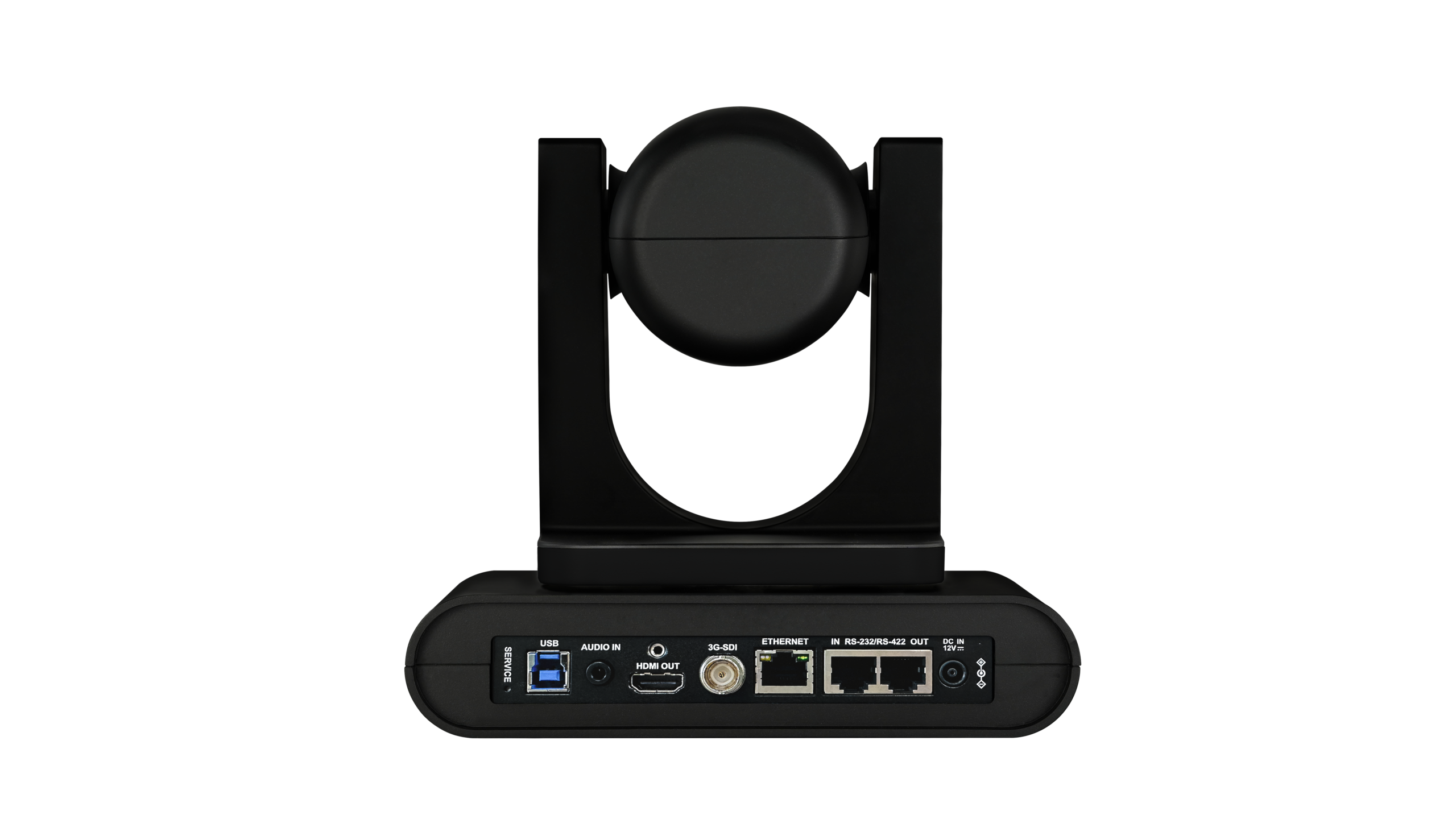
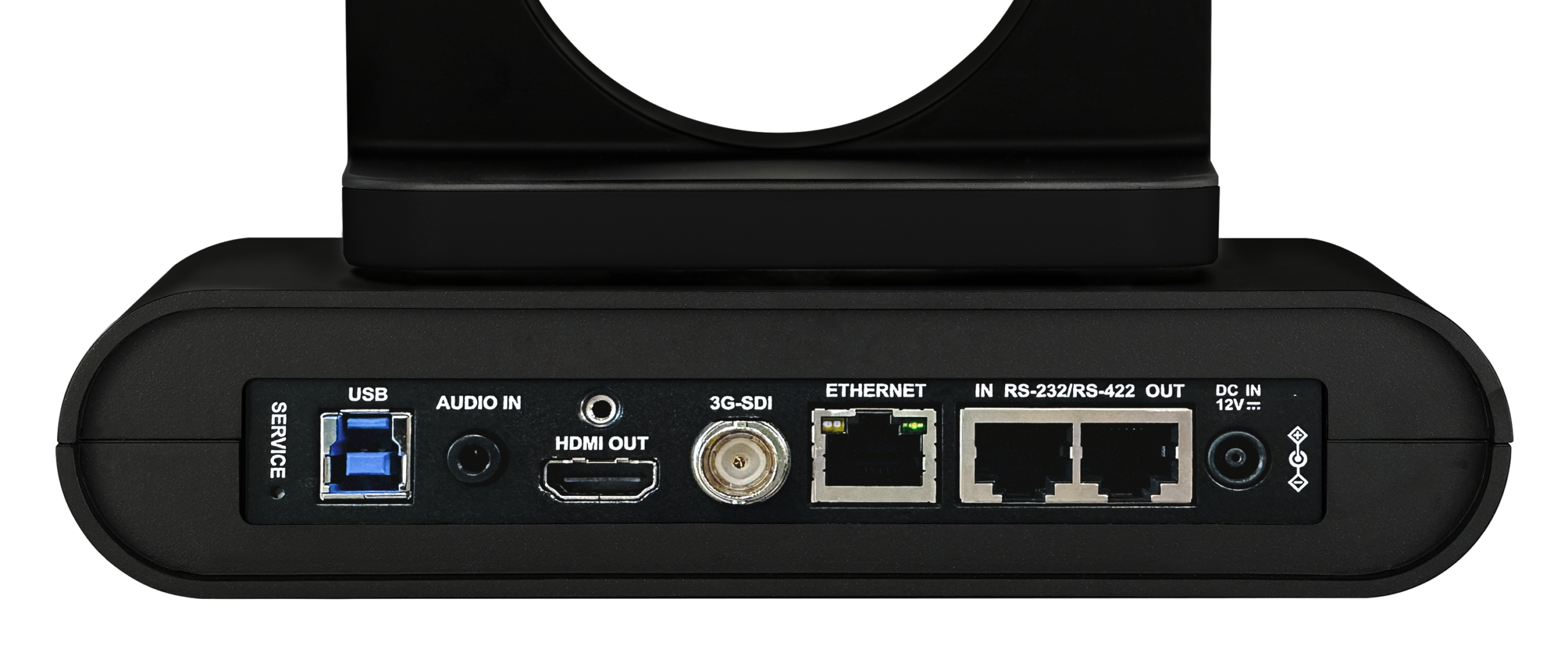
  • HDMI, Ethernet, 3G-SDI and USB simultaneous output
  • Zoom certified ProAV camera
  • Supports RTSP / RTMP / RTMPS / SRT streamin


HOW THE SYSTEM WORKS

Main Features

Auto-tracking cameras automatically follow a presenter, lecturer, or teacher without needing a camera operator. They detect and track the person as they move, using pan, tilt, and zoom to keep them in frame. They’re ideal for lecture capture, corporate training, classrooms, seminars, and worship settings with limited technical staff.

AI Speaker
Tracking
Keep Your Speaker in Frame

AI-powered tracking automatically follows a presenter or speaker as they move across the stage or presentation area.

Overview Camera
Shots
A Wider View for Your Production Team

Provide an overview shot of the stage, meeting room, or event space for your hybrid or production team.

Conference Microphone Integration
Press the Microphone. The Camera Moves

Connect the PTZ cameras with compatible conference microphones so the camera automatically moves to the preset position of the person speaking.

TRACKING MODES

Four Ways to Track Your Speaker

 The PTZ CAMERA offers different tracking modes
for different room layouts and presentation styles.

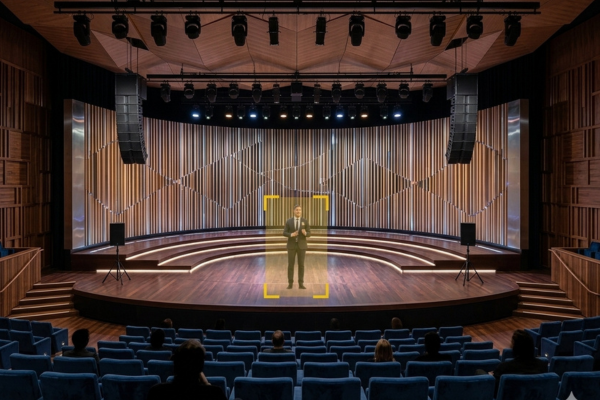
Everywhere

The camera smoothly will follow wherever the presenter goes. You can simply change the tracked subject by clicking on the individual via the web interface.
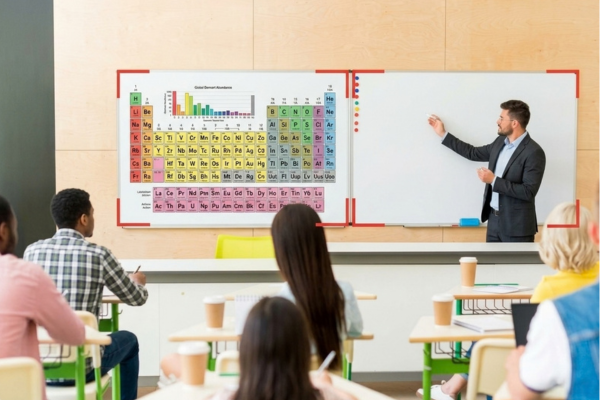
Partition

When the presenter moves inside a user-defined Partition Area, the camera switches to a preset angle and zoom. When outside a Partition Area, the camera autonomously follows the presenter.
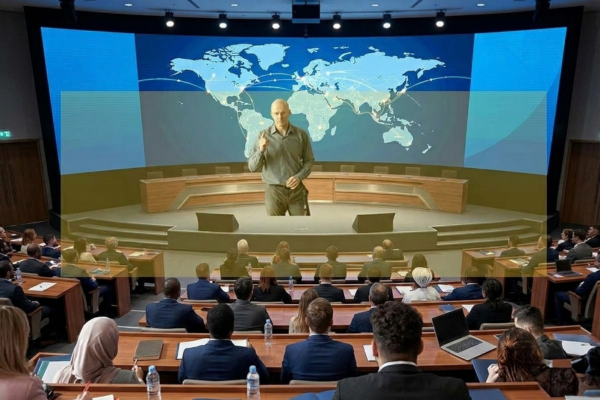
Stage

When inside the Tracking Area, the camera follows the presenter with a panning (left-right) movement. When the presenter moves outside the Tracking Area, the camera stops tracking.

Auto-Framing

With Auto-framing function, you can immediately detect the participants in a meeting. It dynamically adjusts its angle frame to include all delegates, re-framing the view if participants join or leave during the session.
Compatible Microphone Systems

Confidea Flex Mic
Wired
Confidea Flex G4
Wireless
D-Cerno
Entry-Level
Conference Microphone Integration

Designed Around Your Conference Layout

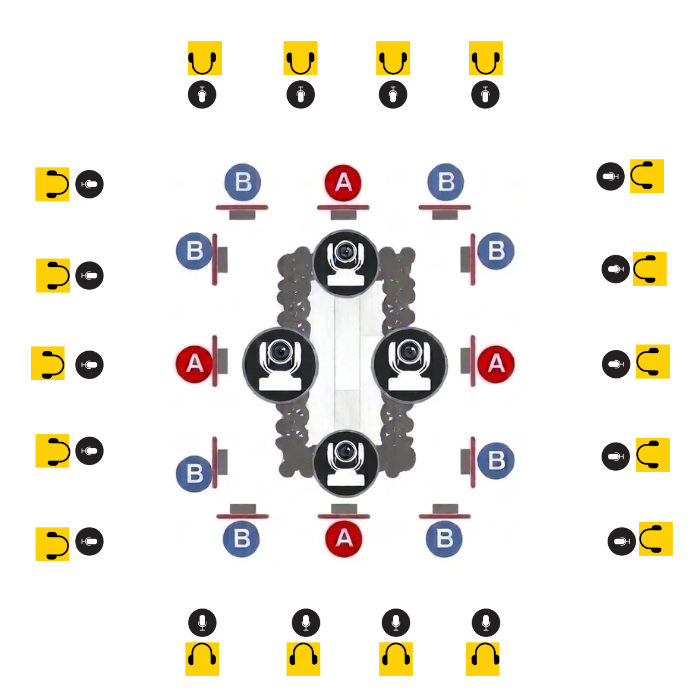
18 microphones. 4 cameras. Multiple preset positions.

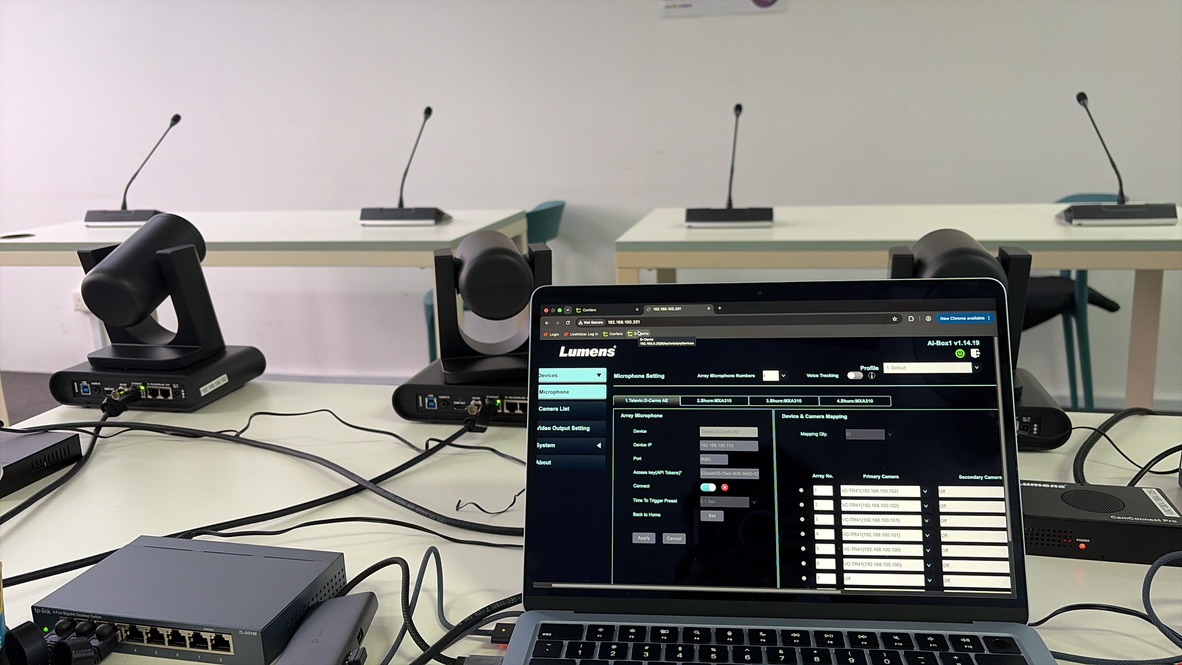
Our team configures the camera presets around your conference room layout, including hollow-square configurations, so each microphone can be associated with the appropriate camera position.

Example layout: 18 microphones and 4 PTZ cameras. Each seat has a primary and a secondary camera.
Smart Camera Switching

How the Cameras Know Who’s Speaking

Every microphone is linked to camera presets, allowing the system to follow the conversation automatically and switch between speakers without manual camera operation.

18
Conference Microphones
4
PTZ Cameras

Two Camera Presets for Every Microphone

Each microphone is assigned two camera presets to ensure the active speaker is shown quickly, even when another delegate begins speaking.

1
First Choice

Primary Camera

The camera nearest to the delegate. As soon as their microphone is switched on, the camera moves to the assigned preset and frames the speaker.

Purpose: Capture the active speaker with the closest camera angle.
2
Backup Angle

Secondary Camera

A backup view from another camera. When the primary camera is busy tracking another delegate, the system can switch to this alternative angle.

Purpose: Show the next speaker without waiting for a camera to pan across the room.
✓

Why the Backup Camera Matters

One camera often covers several seats. If another delegate seated within that camera’s coverage starts speaking, the camera may need to pan across the room to reach them. A wide turn can take several seconds.

Instead of waiting for that movement, the system switches to the new speaker’s secondary camera preset. Viewers see the next speaker sooner, without waiting for the primary camera to complete its turn.

The result: Faster speaker changes, smoother discussions, and no need for someone to operate the cameras manually.

Participant Presses the Microphone

The active conference microphone sends the signal to the integrated camera system.

Camera Moves to the Preset

The corresponding PTZ camera automatically moves to the preset position assigned to that microphone.

The Speaker Is in Position

The camera is ready with the correct view without requiring an operator to manually reposition it.

Less Manual Camera Control. More Automated Coverage.

This is particularly useful for conferences and closed-door meetings where a camera operator may not be in the room.

OUR PTZ CAMERA SERVICE

Before, During and After Your Event

Auto-tracking only works when every microphone, preset and camera angle is set up properly. We test the system before it leaves our warehouse, fine-tune it with you on site, and stay on standby until the last speaker is done.

âš™

Tested Before We Deploy

We check every camera and microphone and run through the full setup before your event. We test special requests in advance too, such as running automatic tracking and manual camera control at the same time.

⌂

Set Up With You On Site

We install the cameras and conference microphones, set the tracking presets, and adjust each head-and-shoulders shot with you until you’re happy. We also put your logo on the Confidea G4 microphone screens and load your delegate list, so each speaker’s name shows on their microphone.

â–

On Standby Throughout

Our engineer watches the system for the whole event. They fine-tune camera presets as needed and handle manual camera or video switching when required, so your meeting runs without interruption.

From testing to pack-down, we handle the technical side. You focus on your meeting.

Get in touch

Planning an upcoming conference or event? Tell us what you need, and we’ll help you put together the right PTZ camera and microphone setup.

Contact Us
Scroll to Top